
Frequently Asked Questions
How can I add an Unsubscribe Link to my template for uploading it to Campaign Monitor?
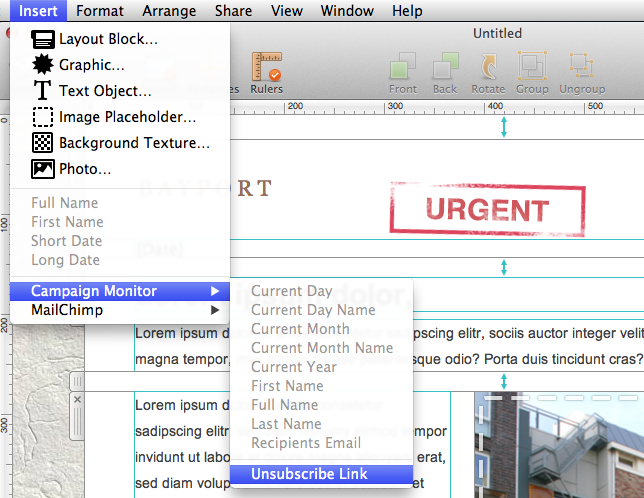
All templates you want to upload to Campaign Monitor have to contain an unsubscribe link.
To add an unsubscribe link to your template, please follow these steps:‣ Choose the text area you want to insert the unsubscribe link to. ‣ Please choose "Insert" > "Campaign Monitor" > "Unsubscribe Link" from the top menu bar.
You can now upload your design to Campaign Monitor.